Sign-Up
Two register methods are supported: Google authentication register, Github authentication register. Sign-Up LinkSign-In
Three login methods are supported: Google authentication login, Github authentication login, email login Sign-In LinkCreate your first project
A project is a space connected to a Notion database that can collect multiple records.
Notion Configuration
Clone from the project template
As this is a tool I build for my own need,the structure of the database is fine enough to make a few products of my own including blogs and curated-lists. Clone the template to your own workspace.Get the database_id
You can get the whole database link here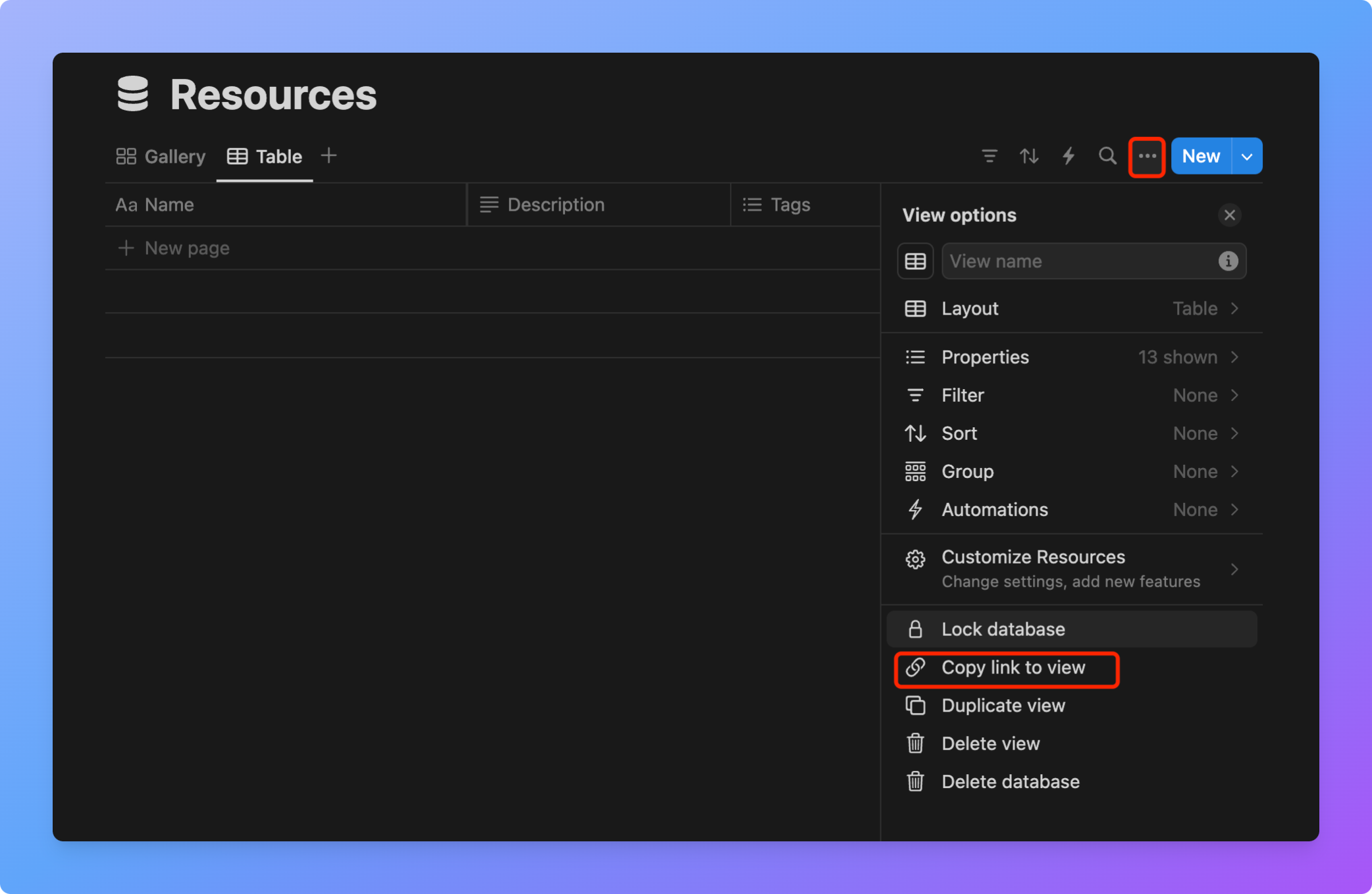

The “database_id” will be used to config the project.
New a Integration
Integration is used to operate Notion through API.
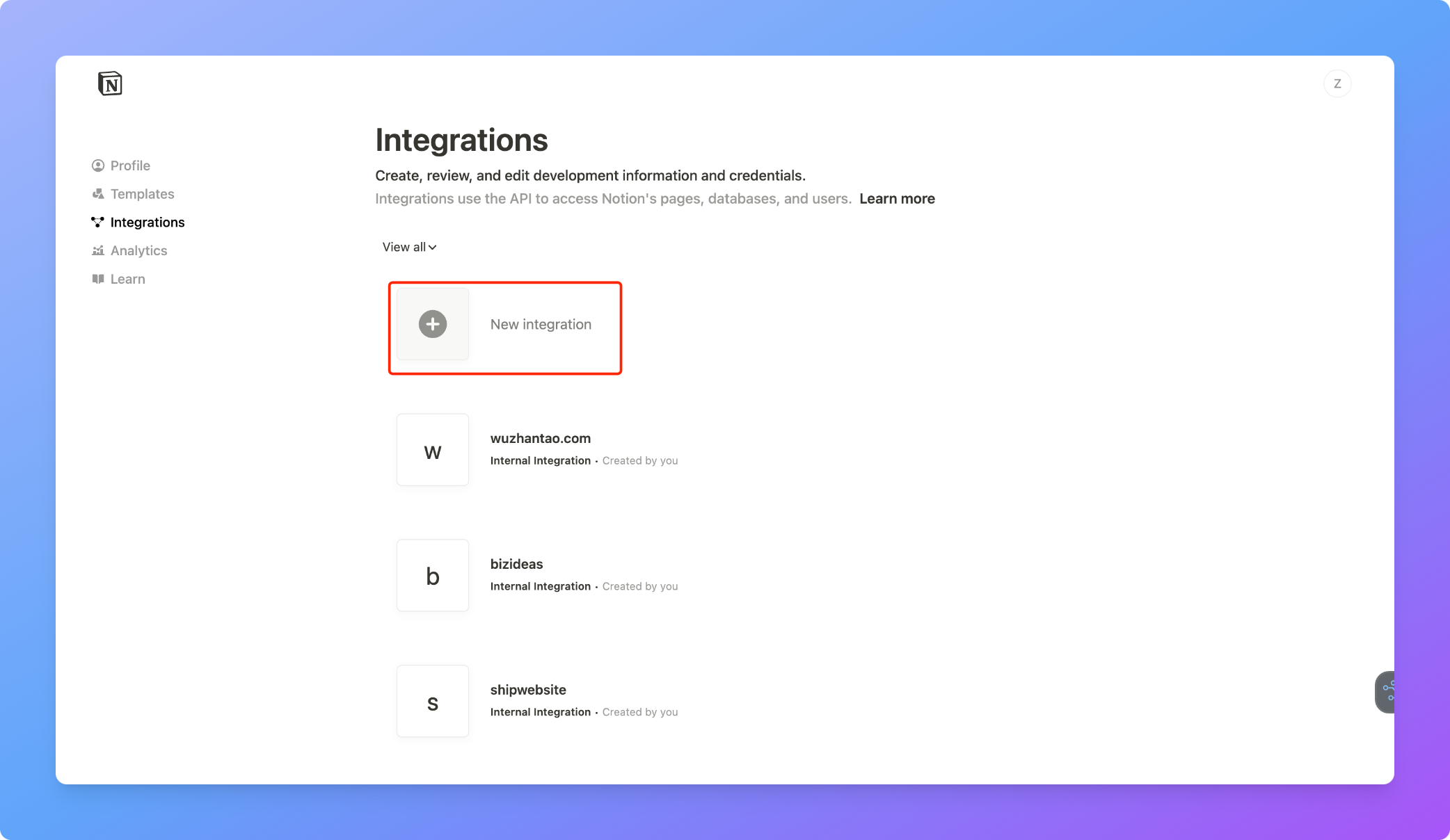
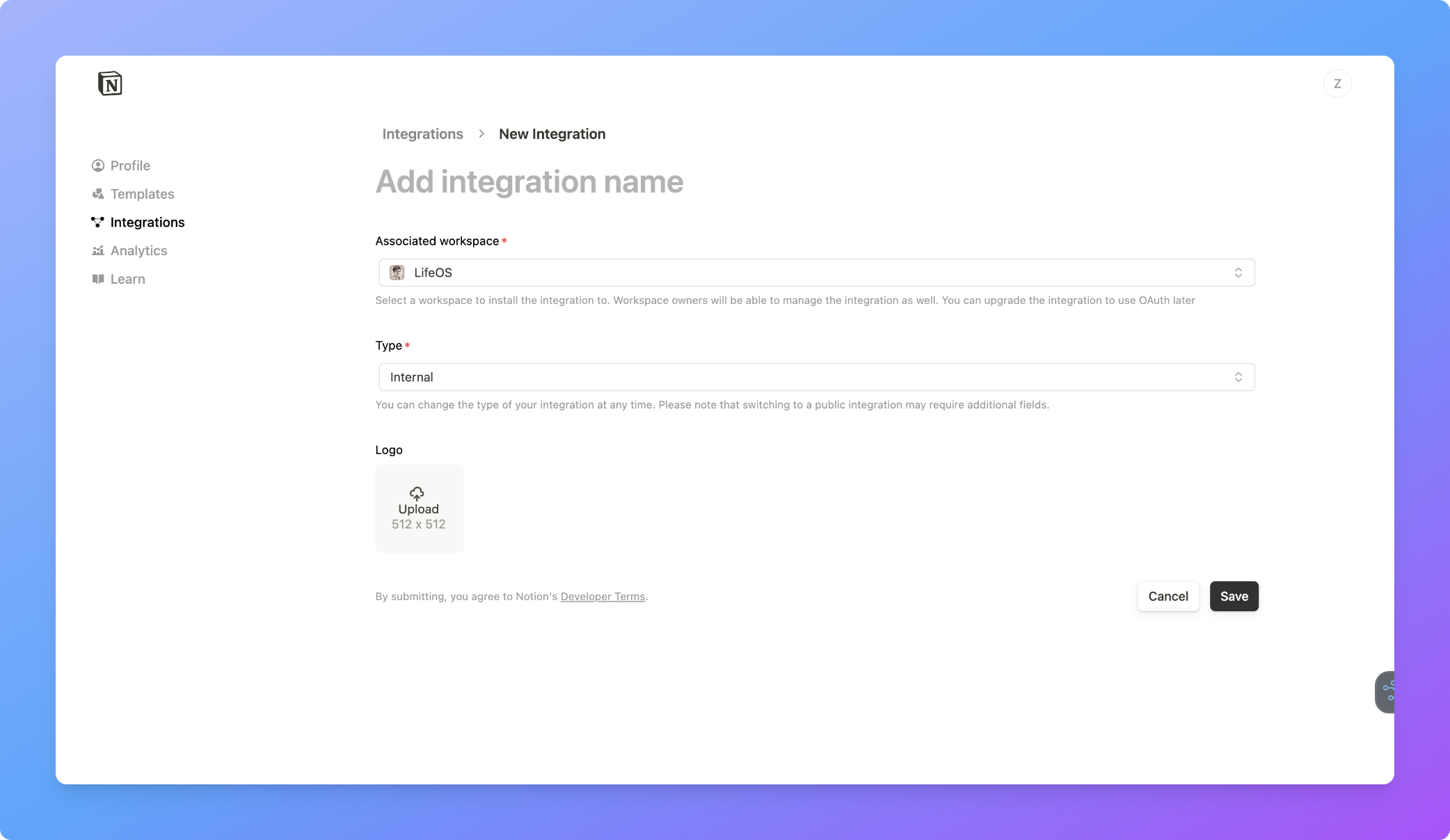
1
Name
It is better to name the integration based on its purpose
2
Workspace
Choose your own workspace where your database will be built in
3
Type
Internal
4
Save
Click “Save”
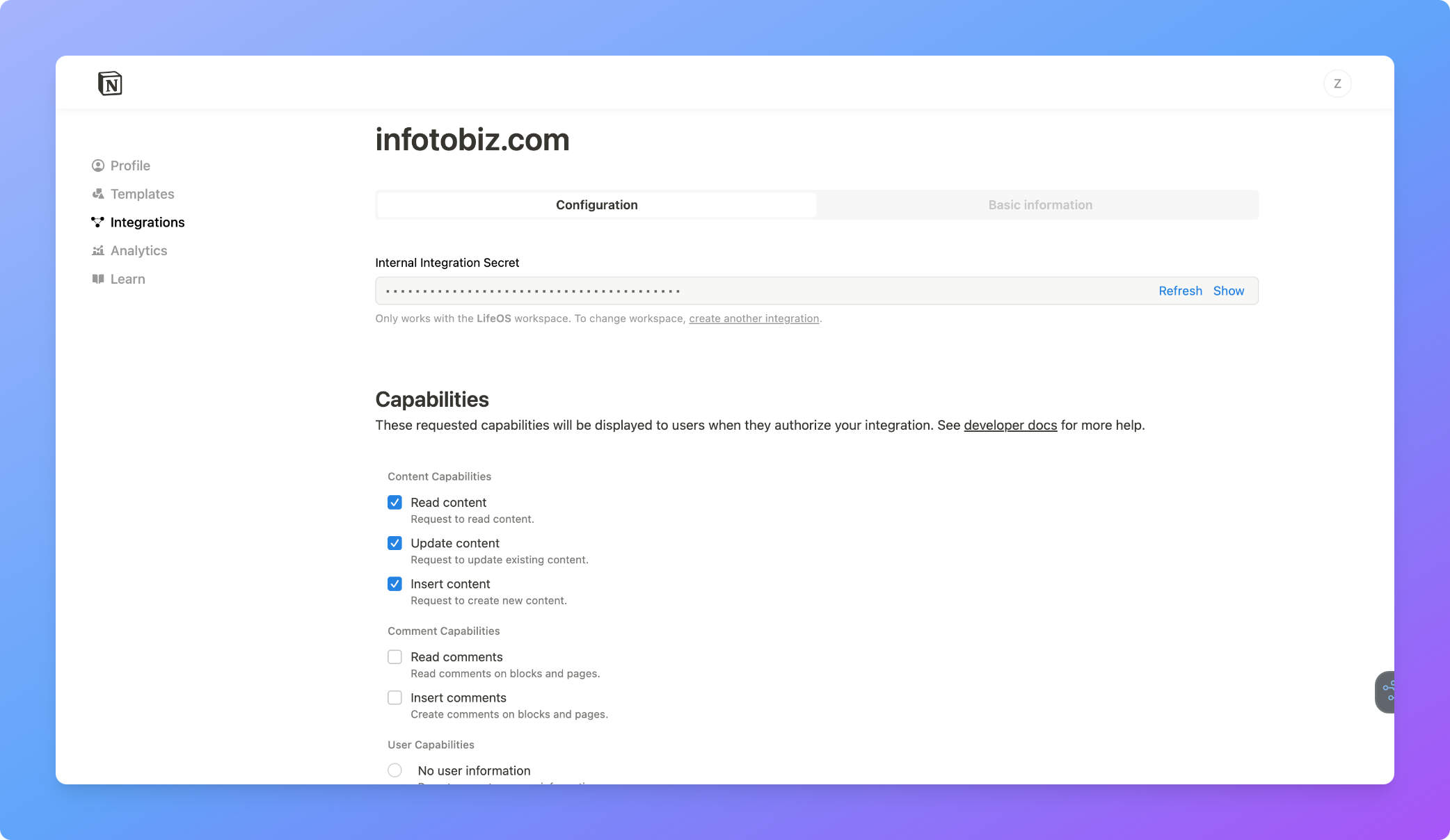
1
Internal Integration Secret
The “Internal Integration Secret” will be used to config the project
2
Capabilities
Check these three capabilities
3
Save
Click “Save”
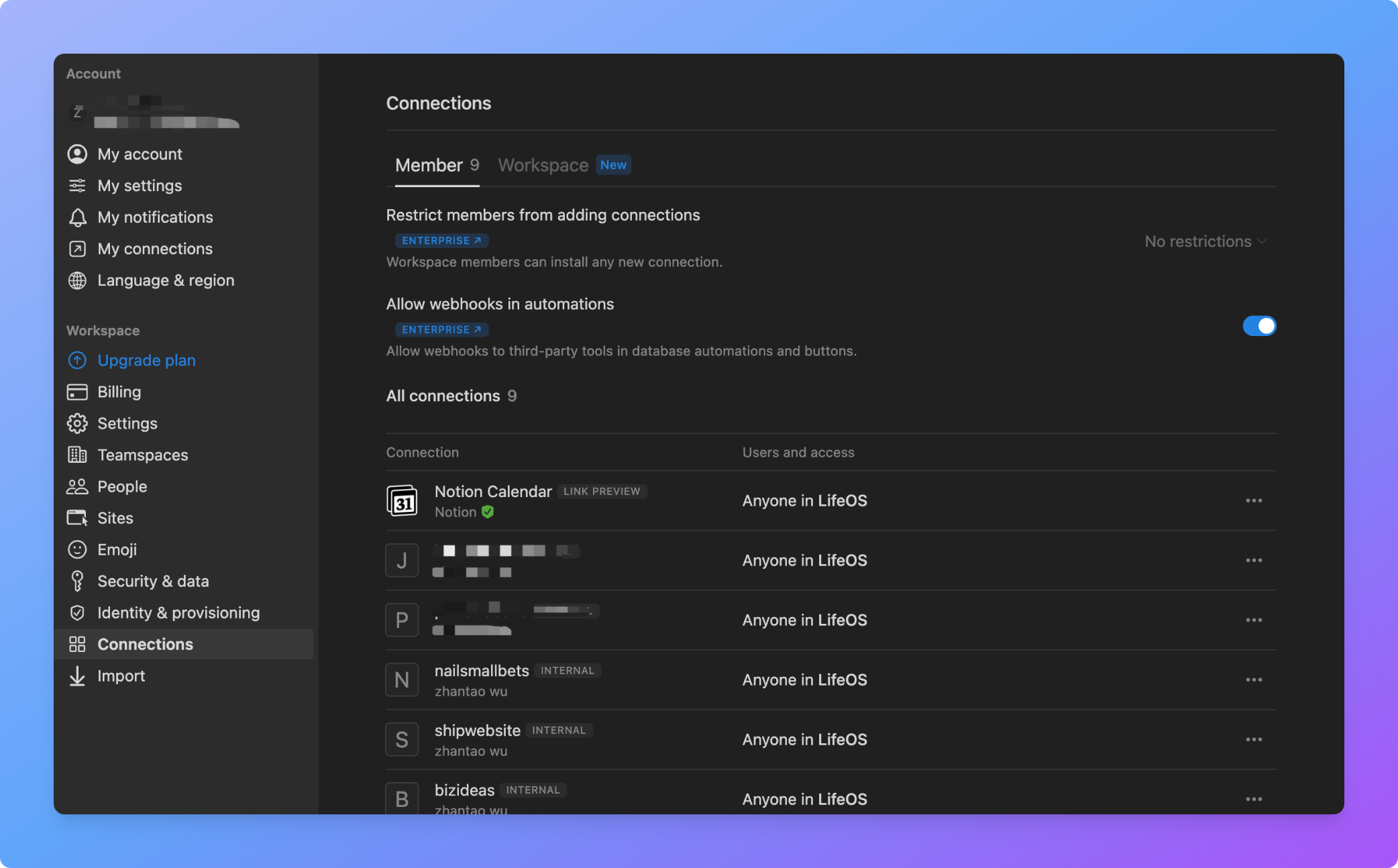
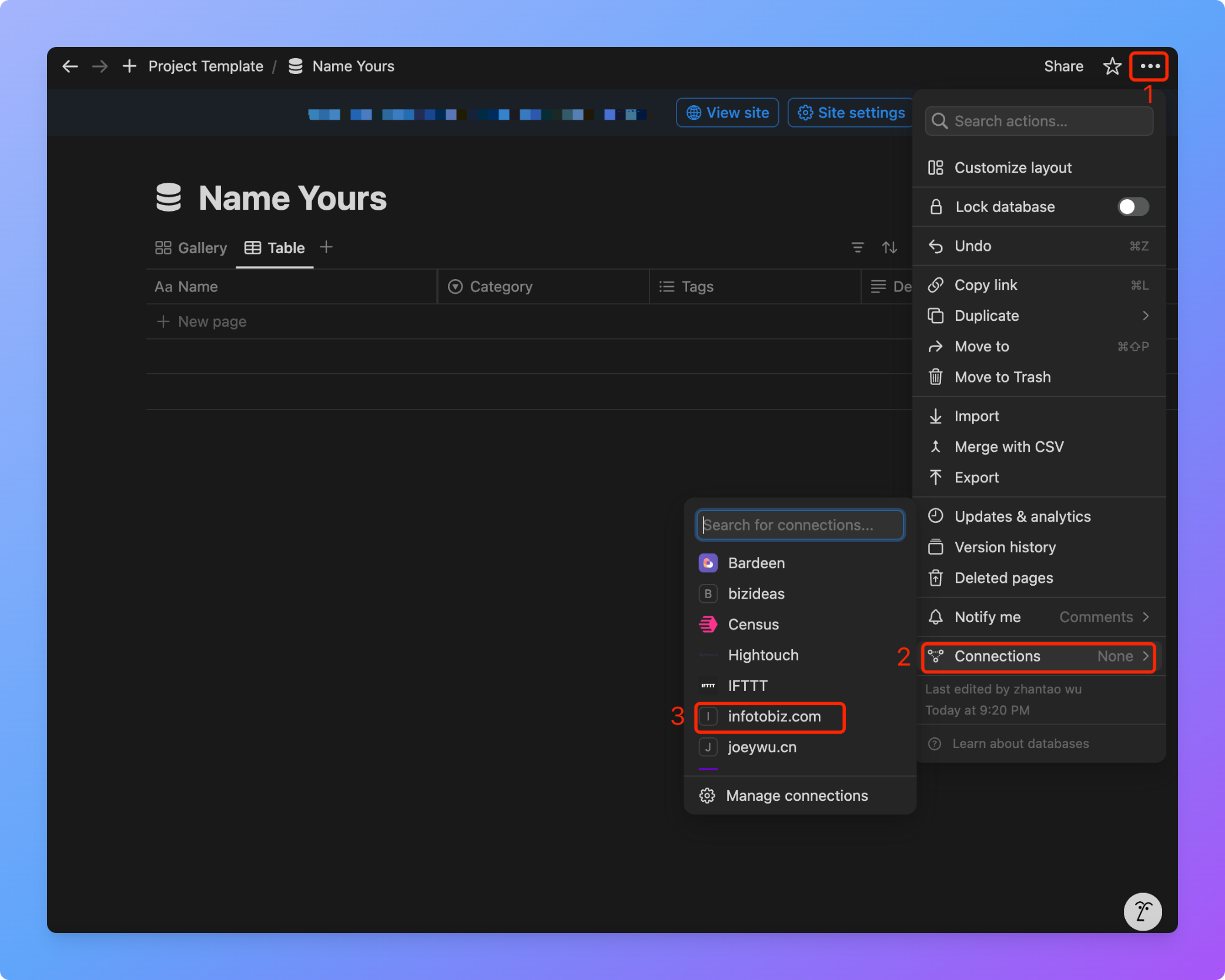
Connect the database to Integration
Create Project
1
Name
The project’s purpose should be obviously recognized from its name, with words separated by ’-’ or ’_’
2
Slug
The slug is automatically generated by the system based on the name
3
IntegrationSecret
Get the Integration Secret from Integration section
4
DatabaseId
Refer to the “Get the database_id” section. Make sure that the IntegrationSecret and Database is connected
Create a API key
Create a API key here: API Keys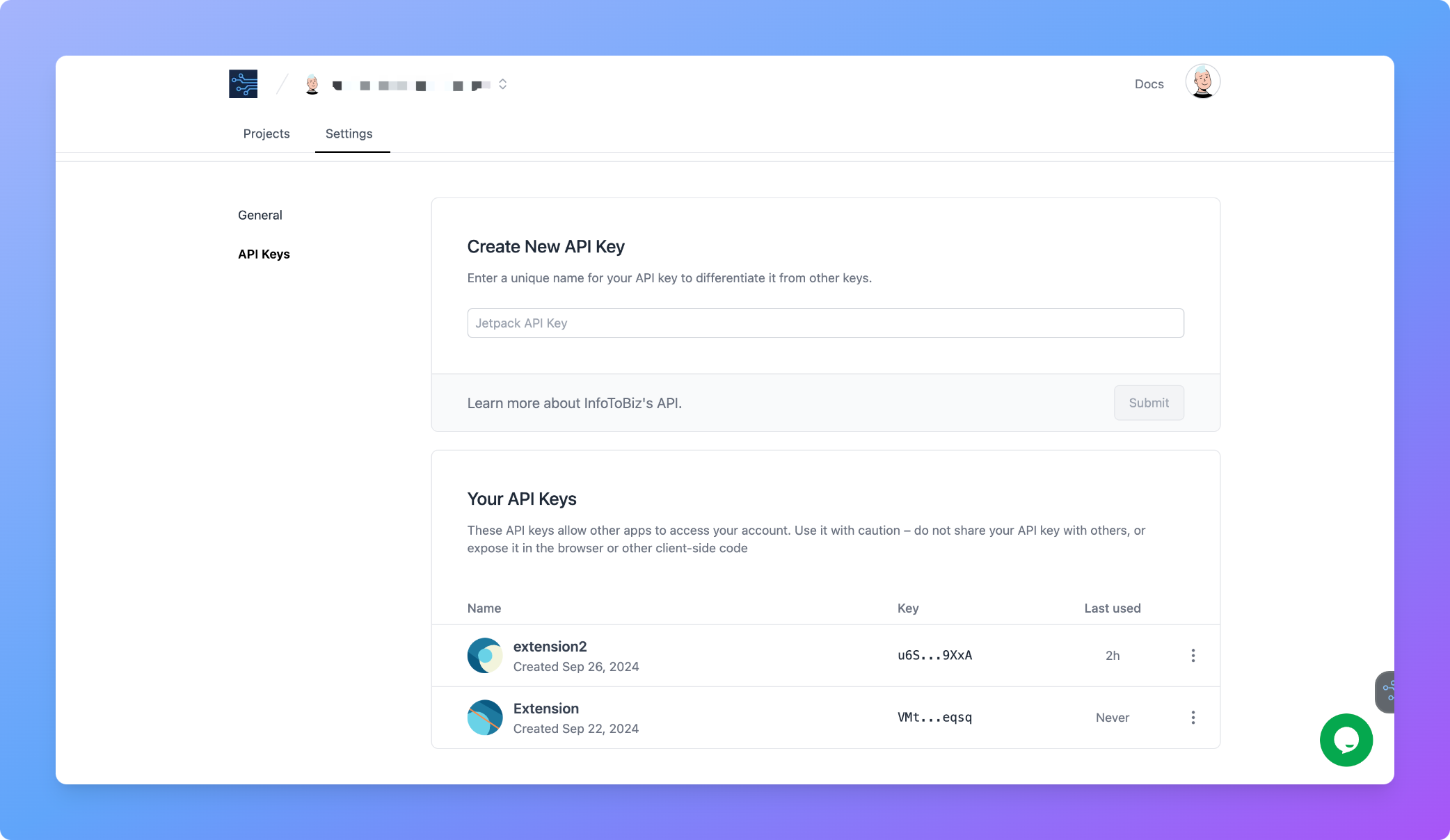
Install the browser extension
Get the extension from here:Chrome Extension
Download for Chrome
Edge Extension
Download for Edge
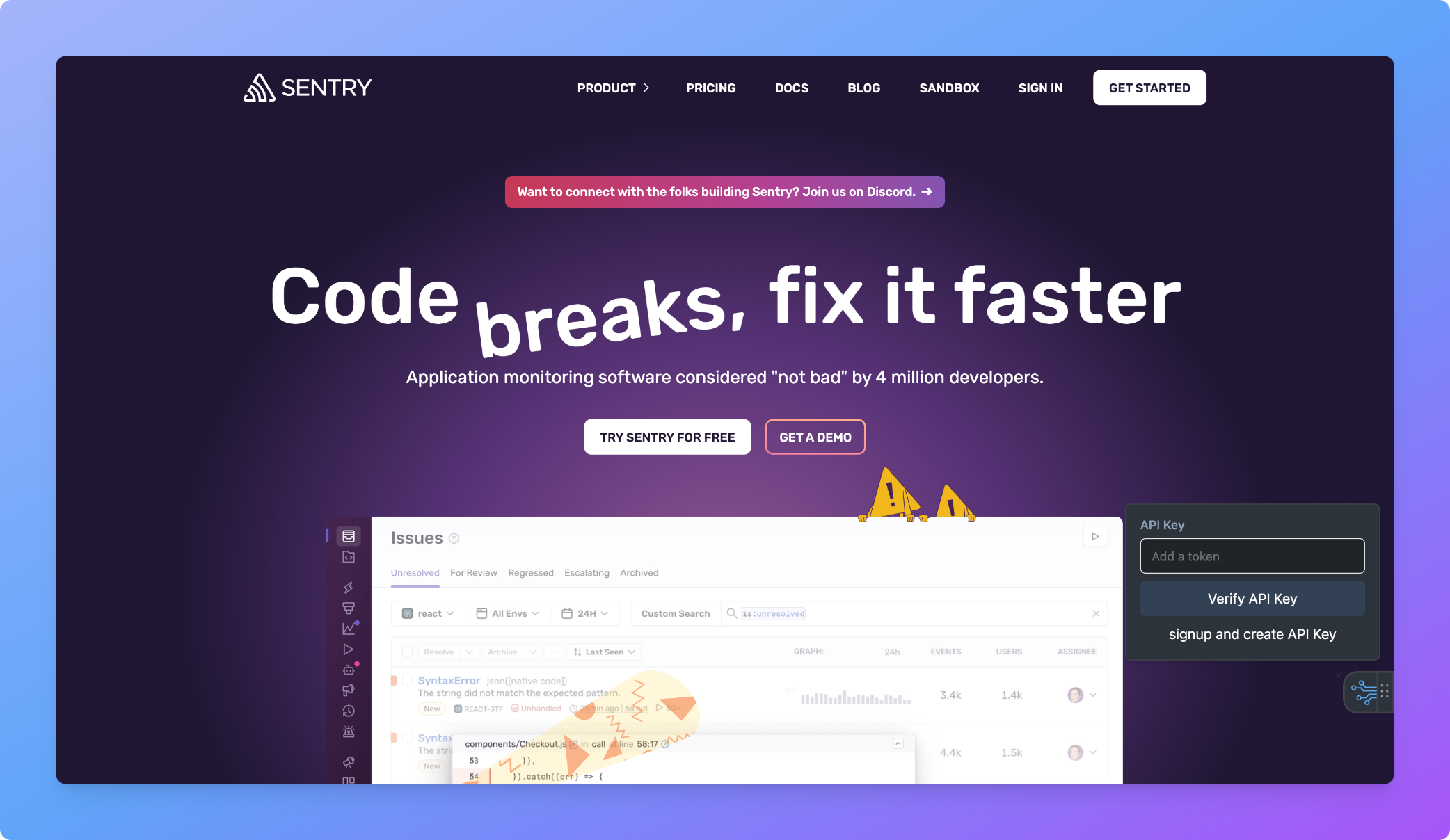
API Key verification
Open a url, move your mouse arrow to the bottom right of the page, and the extension will pop up. Click to enter the API Key for verification After successfully verifying the API Key, it will automatically redirect to the operation page.The API Key will be encrypted for data security and stored locally in your browser.